Understanding the HAIPA Key System
Rotating your Agent, API, and Algo keys.
The three keys at a glance
- API Key (K) — the key you give your LLM chat agent; it authenticates with the HAIPA MCP server. Your agent knows this key but never knows the underlying Agent Key.
- Chat Agent Key — the on-chain agent key HAIPA uses to place your MCP-driven trades and launch algo orders. Kept separate from your chat agent so guardrails can be enforced before anything reaches Hyperliquid.
- Algo Agent Key — a dedicated signing key that runs your persistent autonomous algos (trailing stop, peg) server-side in Tokyo.
What is a HAIPA Agent key?
It's an agent key you approve on Hyperliquid that lets your agent trade on your behalf. This key cannot withdraw funds. HAIPA also keeps this key separate from your agent, so we can enforce your risk guardrails before any transaction is broadcast to the Hyperliquid network.
How to generate a HAIPA Agent key
You can provision an agent key during onboarding, or later after resetting your existing agent key:
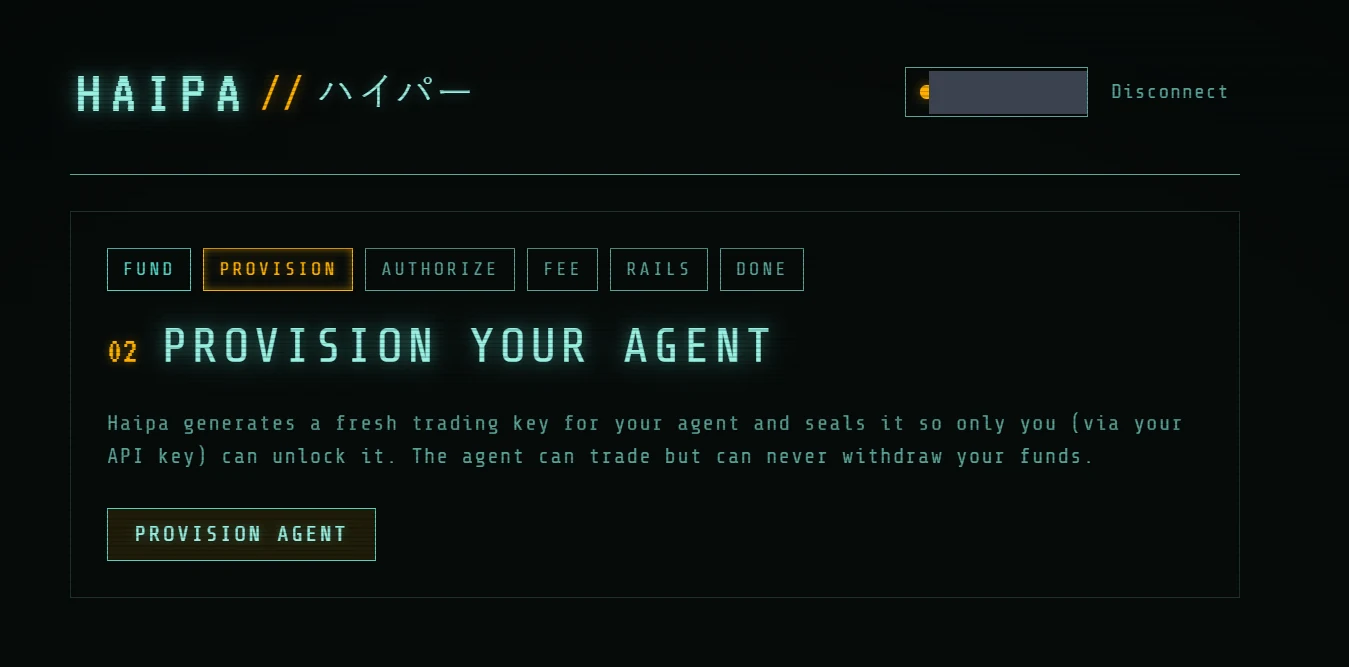
- In the HAIPA admin UI (app.haipa.ai), open the Provision tab and click Provision Agent.
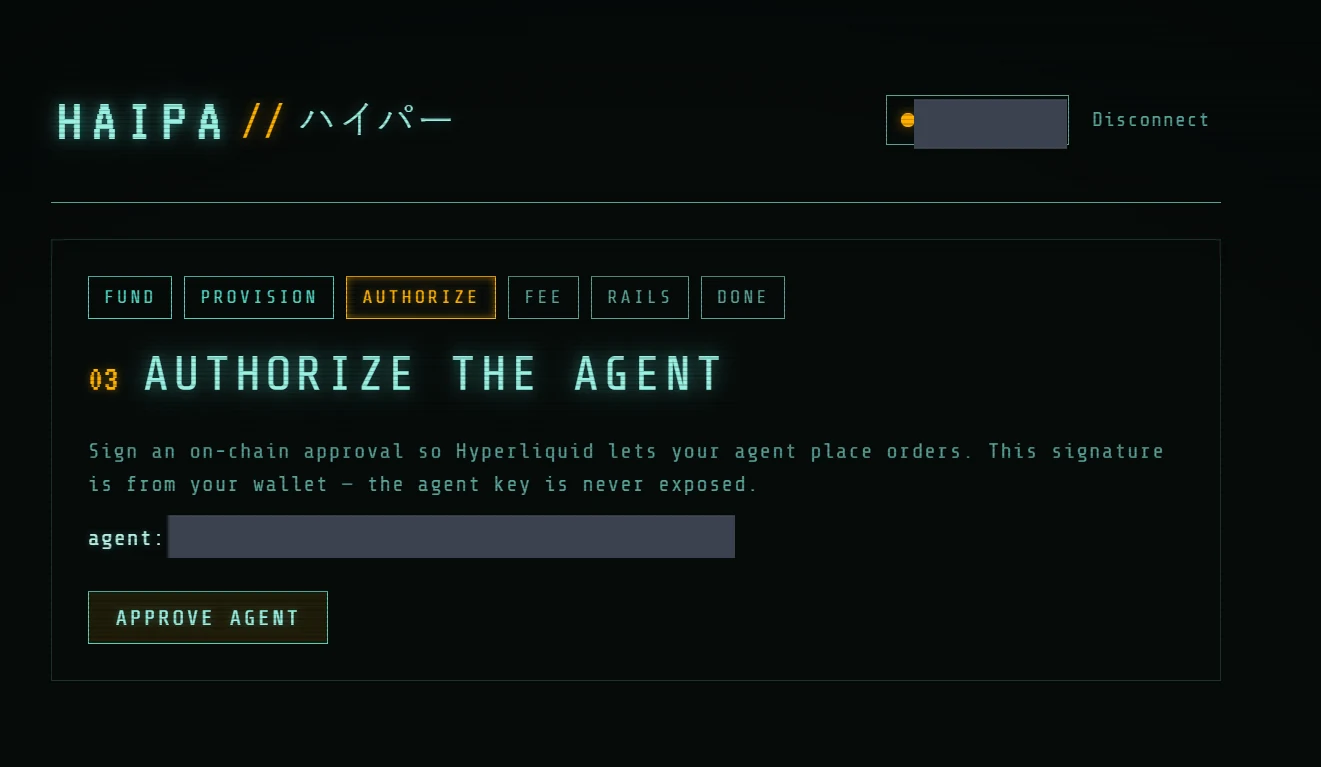
- Approve the agent key by signing an ApproveAgent transaction on Hyperliquid with your wallet. On the Authorize page, click Approve Agent.
HAIPA agent keys are named either haipa-mcp or haipa-algo. Disabling either agent in the official Hyperliquid UI is your prerogative, but doing so severs that agent's ability to manage orders on your behalf and requires resetting the agent key in the HAIPA admin (app.haipa.ai).
When and how often should you rotate your agent key?
By default, agent keys expire three months after creation. You can rotate them as often as you like.
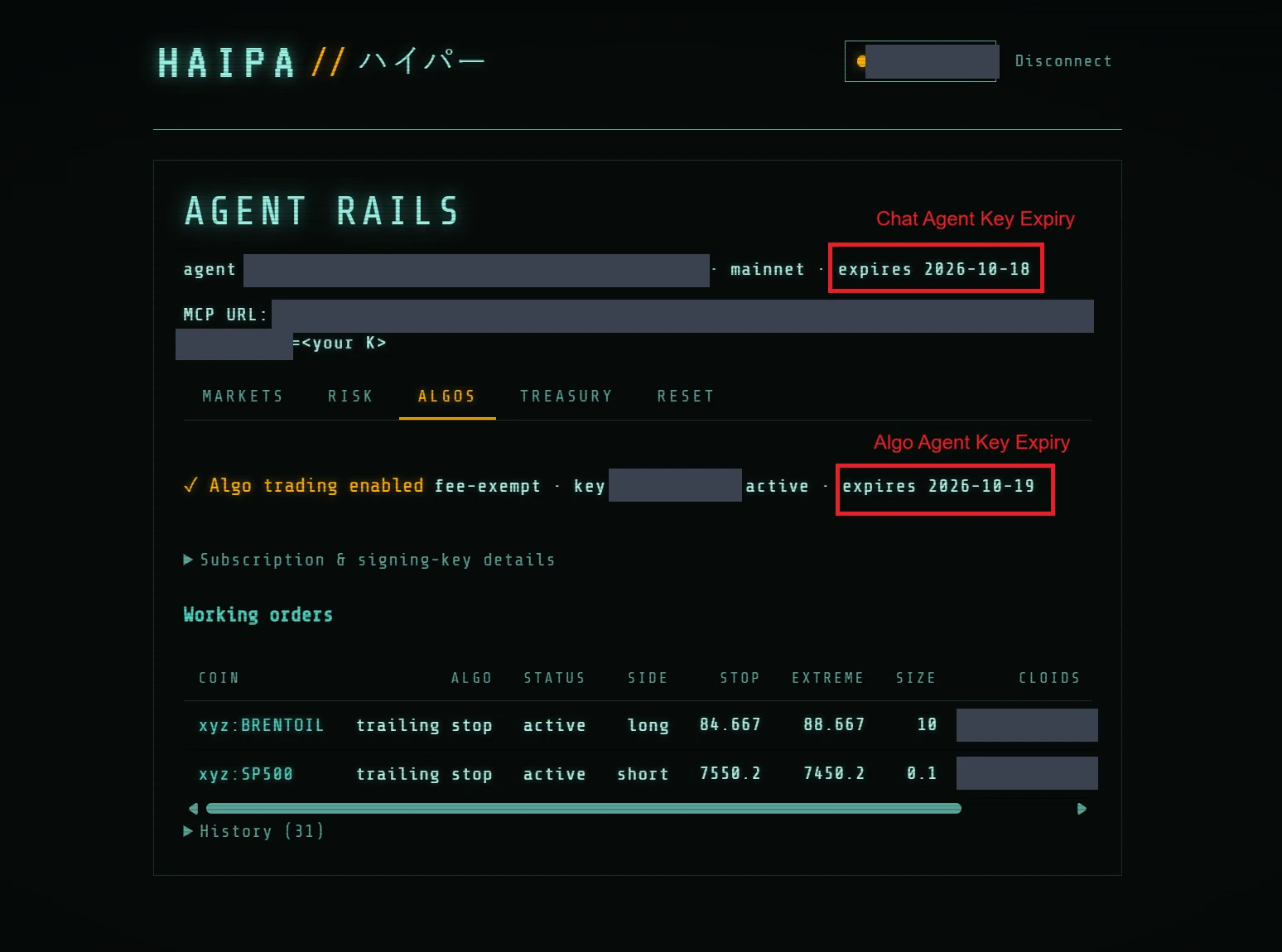
You can see the expiry for each key in the admin UI (app.haipa.ai). Your Chat Agent Key expiry appears at the top of the screen. If you've enabled algo trading, you'll also find your Algo Agent Key expiry on the Algos tab.
You can rotate either key in the Reset tab of the HAIPA admin UI:
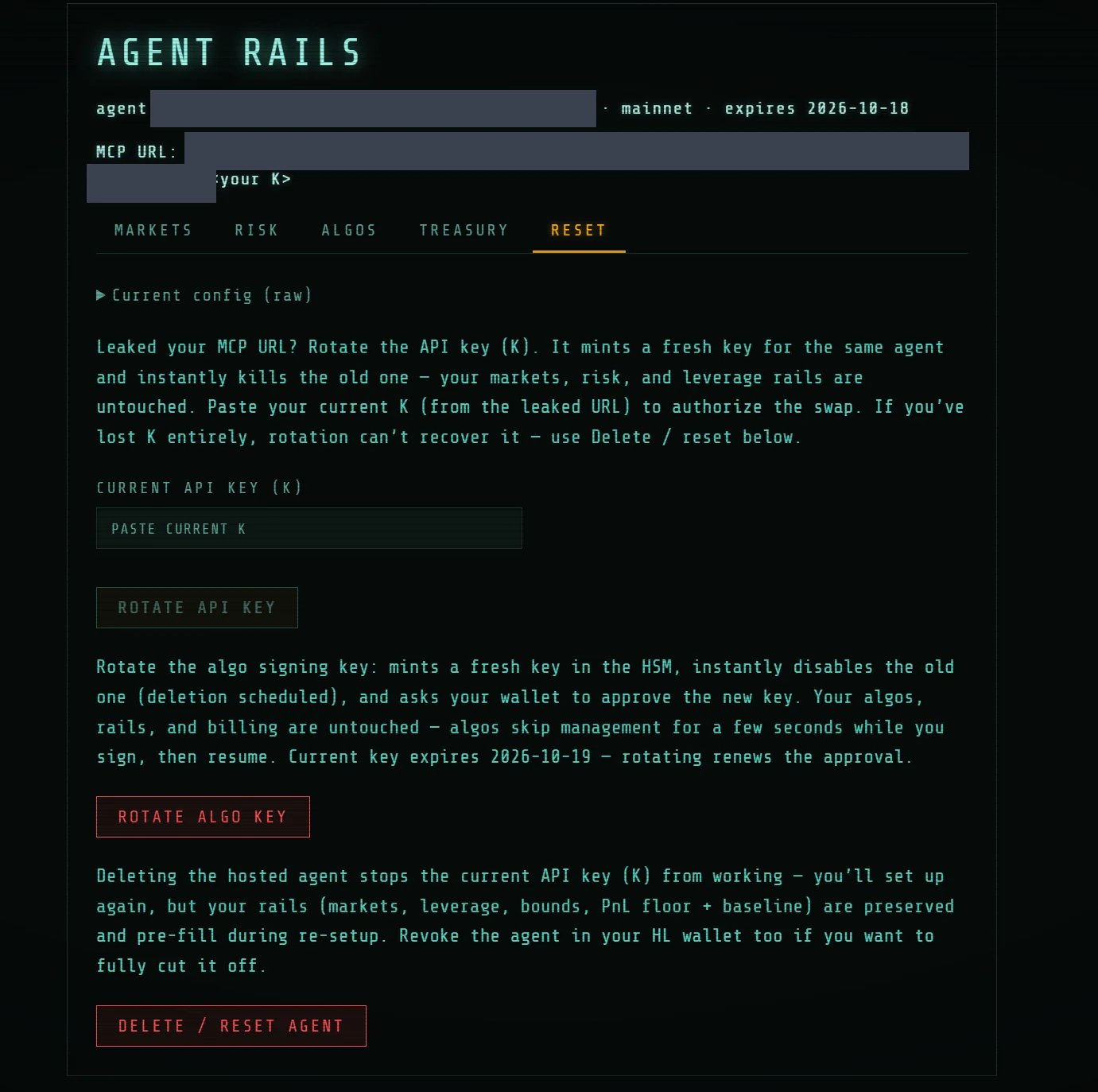
Rotating the Algo Agent Key asks you to sign for your new agent key in your wallet. This causes a temporary pause in your running agents until they detect the rotation (usually a few seconds). You can verify your algos are still running by asking your HAIPA MCP Chat Agent to "list my algos."
Rotating the Chat Agent Key deprovisions your old key immediately, and you then re-enter the normal onboarding flow — except that your risk guardrails are pre-populated from your previous profile. You'll be asked to sign to approve your new agent key, then you'll receive a new MCP URL to give your chat agent. Chat Agent Key rotation also pauses all running algos, which you can resume by asking your HAIPA MCP Chat Agent to "resume my algo orders."
The Reset tab
This tab can look confusing because there are so many keys. What's the difference between rotating your API Key (which we'll call K), rotating your Algo Agent Key, and deleting your agent? Here's how each one works.
Your API Key is what you give to your LLM Chat Agent; it's how the agent authenticates with the HAIPA MCP server. HAIPA sits between your LLM agent (the "Chat Agent") and the actual Agent Key. Your agent knows the API Key but, critically, never knows the actual Agent Key — that separation is how we can enforce your guardrails.
Deleting an agent removes the agent's key and revokes its access to HAIPA. It does not delete the agent itself or affect the assets in your Hyperliquid account.