HAIPA Prompt Cookbook
A quick reference for the kinds of requests you can give your agent. Every recipe below has its own shareable link — copy the section link to point someone straight at it.
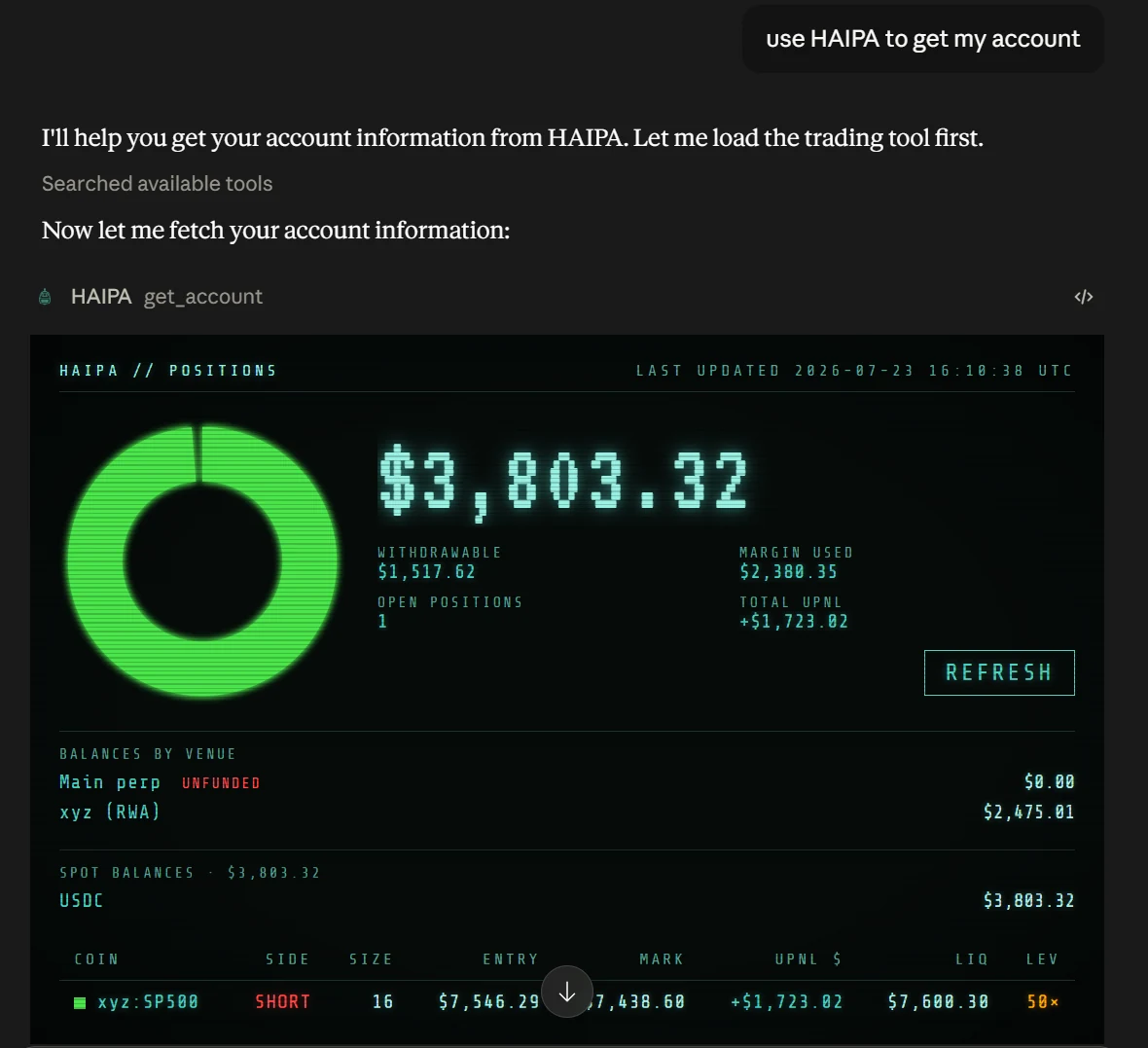
Get your account
Your agent can get your account information, including equity, margin requirements, position information, and liquidation prices.
Example prompts
- "Use HAIPA to get my account."
- "Check my account after every successful fill."
Include the instruction "Check my account after every successful fill" in your opening prompt. Your agent will then review the account after each transaction to confirm it's in the expected state.
Place orders on Hyperliquid
Place a market or limit order in a specific perp market.
Example prompts
- "Buy 100 HYPE at market."
- "Sell 10 xyz:sp500 limit 7555."
- "Get me a quote for selling 10 xyz100 and execute if slippage is less than 10 bps."
Place a trigger / set Take Profit / Stop Loss (TPSL)
Place a trigger order to buy or sell a perp market. Alternatively, use Set TPSL to attach a stop loss or take profit to an existing position.
Example prompts
- "Buy 10 sp500, then attach a bracket: profit target at 7777, stop loss at 7444."
- "Place a stop-loss order to sell my SOL position at 65, reduce-only."
- "Attach a stop-loss order to my sp500 short, buy trigger 7605."
- "I want to be long, but only if we rally first — set a buy trigger for 350 in xyz:TSLA."
Cancel orders
Cancel a single order by ID, or cancel all orders in a perp market.
Example prompts
- "Cancel my stop-loss order in HYPE."
- "Cancel all my orders in xyz100."
- "Look up the order ID of my top bid, cancel it, and replace it 10 points lower."
Close a position
Exit your entire position in a single perp market.
Example prompts
- "Dump my xyz:GOOGL."
- "Get flat xyz100."
Get open orders
Query your native Hyperliquid orders working on the exchange, and whether or not they're attached to algo orders. Useful for syncing your agent's state with the state of your order book.
Example prompts
- "Get my open orders and cancel all the buys."
- "What orders are open right now?"
List algos
Query all your algos and their current status (running or paused). Useful for checking the live state of an algo — for example, where your trailing stops currently sit, or how much of your iceberg order has filled.
Example prompts
- "List all my algos — are they all running?"
- "What's the status of my peg order in sp500?"
- "Which algo orders are paused?"
Once an algo is running, you can ask your agent to pause, resume, cancel, or update it. See Algo controls below for what each one does.
Algo controls
Every algo order shares the same control surface — pause, resume, cancel, and update. This is a general guide; consult the docs for each algo order type to see exactly how that algorithm responds to each control.
- Pause — stops updating the algo (no new orders). Exact behavior varies per algo, but in general: protective orders that bring your net position closer to zero (e.g. a stop loss) keep working, while orders that increase the magnitude of your net position may be pulled.
- Resume — the algo resyncs its working orders in the market with the desired working-order state, then proceeds normally from there.
- Cancel — stops updating and removes all working orders from the book.
- Update — modify algo parameters on the fly. For example: "tighten up my trailing stop — move the offset from 100 to 50."
Get docs
A tool that helps your agent answer your questions — and its own — about how HAIPA works. Think of it as a library for your agent. If you have a question about how HAIPA works, ask your agent directly. And if your agent gets confused and starts asking you how things work, tell them to get the HAIPA docs first and find out for themselves.
Example prompts
- "Explain to me how peg orders work."
- "What parameters does a trailing stop have?"
- "What's the difference between an algo order and a regular order?"
- "Don't ask me, dude — check the docs…"